ProjectSight Mobile
Take ProjectSight's cloud-based construction project management software with you in the field on your phone or tablet.


 Download
November 22, 2025 Version 2025.20
 Feature enhancements
Go projects - Daily reports
Go projects now include daily reports so that you can track the equipment, daily activity of the crews, and weather conditions on your job site.
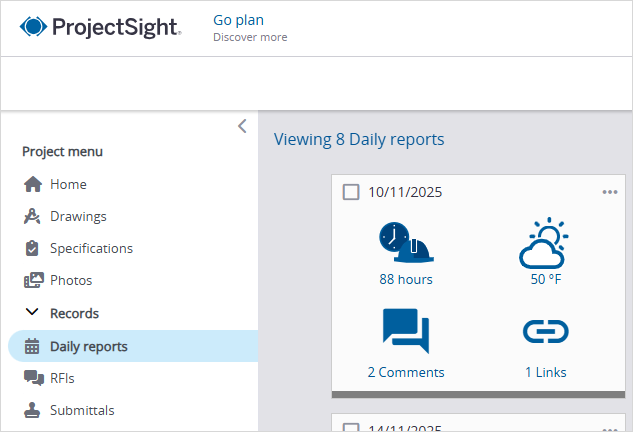
Daily reports module in a Go project
If you're the account owner of a free subscription, and you want to upgrade it to a Go subscription, you can:
- Purchase the Go licenses, and then assign them to your users.
- Transfer your free account to an existing paid account.
Drawings - Annotation labels PSW-I-1902
In the drawing viewer, you can move the annotation label without moving the annotation itself. When you download the drawing, the annotation label remains in the new location.
Example
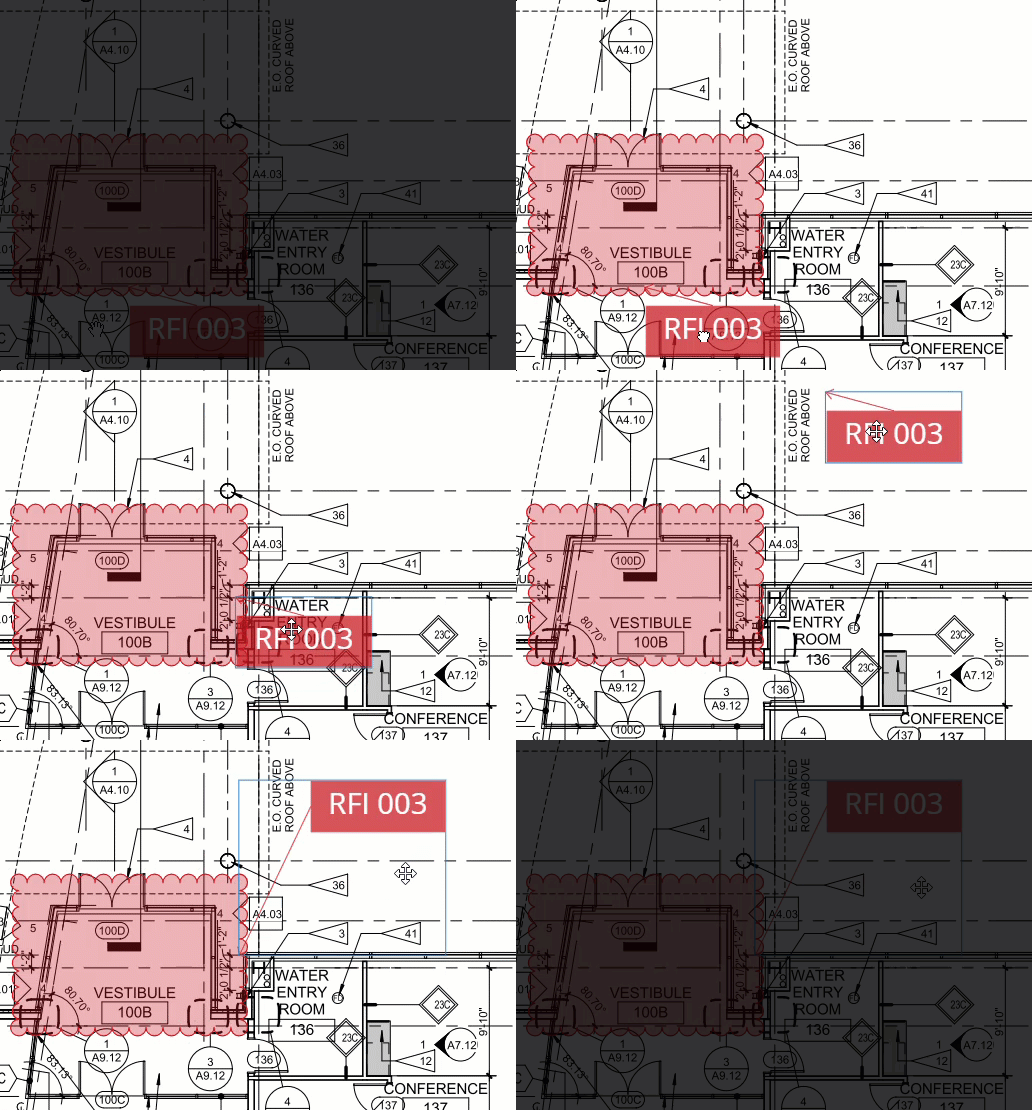
Moving an annotation label
ERP integration - PCO items
To ensure that each vertical markup is unique in a PCO, a letter is appended automatically to its item number.
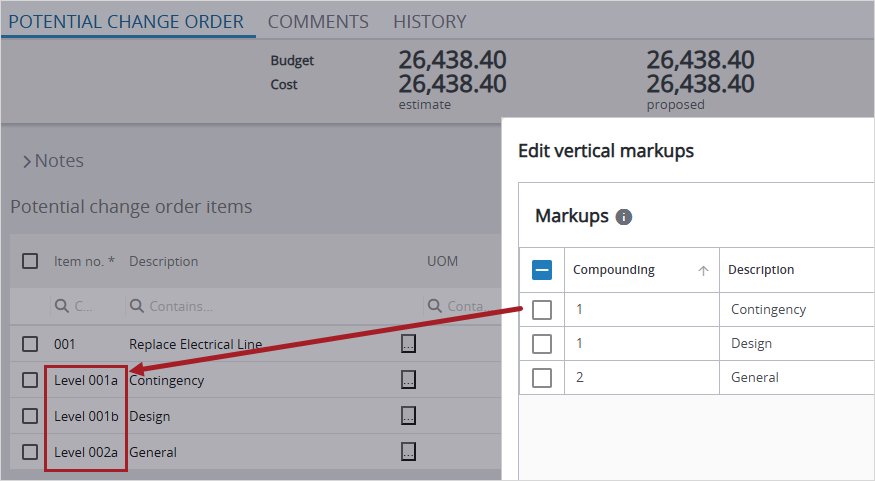
Items numbers for vertical markups
Resolved issues
- In the PDF viewer, files are downloaded successfully. (CN 000000556 / PS-55804)
- In the Detailed with Links report for transmittals, Trimble Connect file links open the correct files. (CN 000002970 / PS-62517)
- In various right-side panels, the Save buttons are displayed consistently. (CN 000003082 / PS-63277)
- In the budget, the tooltip for the Projected costs column displays the correct calculation. (CN 000003087 / PS-63290)
- When you drag multiple drawings to the Uploading a file dialog in a drawing set, you can select which drawing to use in the Title block processing dialog. (CN 000003107 / PS-63421)
- In checklist items, the navigation arrows show the previous and next checklist items. (CN 000003123 / PS-63521)
November 1, 2025 Version 2025.19
Feature enhancements
Ball-in-court workflows
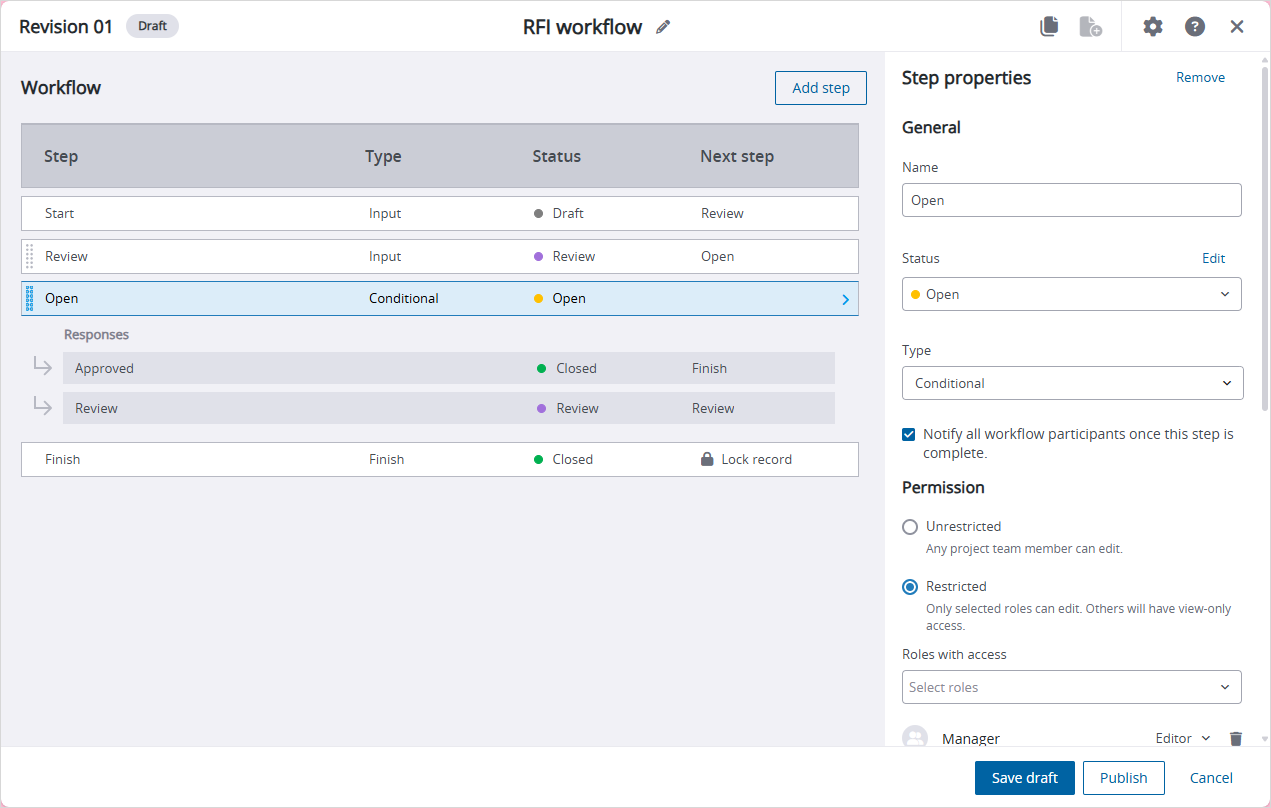
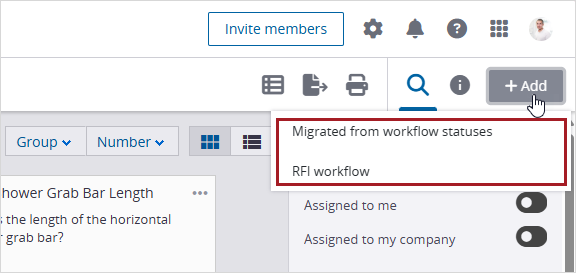
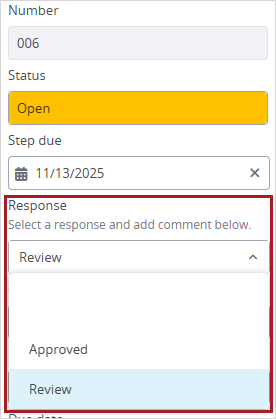
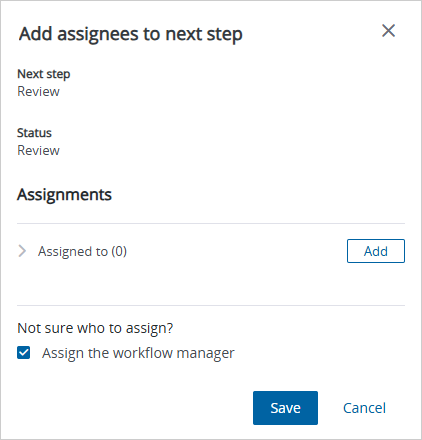
You can use ball-in-court workflows to guide records through a custom workflow. Create workflow templates, designate assignees for each workflow step, and apply workflow templates when you create records. Assignees and workflow managers can submit a predefined response at each workflow step to automatically move the record to the next step.
For detailed information on using ball-in-court workflows, refer to the online help.
- Before you switch to ball-in-court workflows, please consult with your integration administrator because this may affect your existing integrations.
- Ball-in-court workflows are available per module, such as RFIs. If you don't switch a module to ball-in-court workflows, it will continue to use the existing status workflows.
Video - Upgrade overview
Highlights:
- 00:19 - Workflow settings
- 02:04 - Overview of the workflow settings page with two different modes
- 02:42 - Upgrade for ball-in-court workflows
- 03:32 - Overview of the ball-in-court workflows view
- 04:10 - Option to switch back to status workflows
- 04:51 - Status management
- 05:17 - Overview of the workflow template
- 06:07 - Mapping for workflow steps
- 07:05 - Workflow manager and other settings
Video - Ball-in-court workflow engine
Highlights:
- 01:24 - Background of the workflow feature
- 06:05 - Workflow engine and its key benefits
- 10:18 - Migration from status workflows to ball-in-court workflows
- 14:30 - Example of an implementation strategy
- 15:40 - Configuration of workflow templates
- 29:00 - Use of workflow templates in the web app
- 35:40 - Use of workflow templates in the mobile app
- 37:08 - Reporting (future enhancement)
- 39:07 - Common questions and next steps
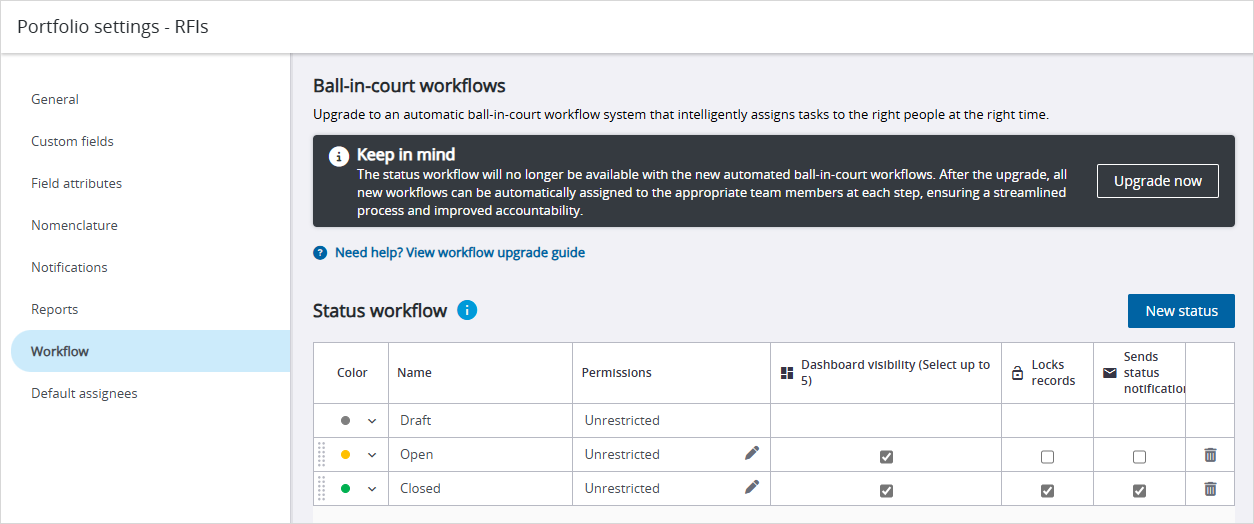

 Resolved issues
- In the email notifications, the record link opens the correct record. (CN 000002554/ PS-59911)
- The project selection page opens without an error. (CN 000002936 / PS-62289)
- When a PCCO has different contract dates for the Original substantial and the Current substantial fields, a user with the commenter permission can print a report for the record. (CN 000002923 / PS-62566)
- When the API is used to read a general invoice, and the API doesn't specify an override value, the current value is used for the quantity. (CN 000002985 / PS-62593)
- When the budget is grouped, filtered, and then refreshed, the Total row remains in the correct position. (CN 000003041 / PS-62931)