ProjectSight Mobile
Take ProjectSight's cloud-based construction project management software with you in the field on your phone or tablet.


 Download
January 28, 2026 Version 2026.01.1
 Resolved issues
- When you upload and link a file to a checklist and then save the checklist, the uploaded file is displayed in the Links panel. (CN 000004683 / PS-65657)
January 24, 2026 Version 2026.01
Feature enhancements
Drawings - Revision numbers
In the drawing settings, you can select how revision numbers are set for uploaded drawings:
- Sequential: If the drawing is the first revision in the drawing series, the revision number is automatically set to the drawing revision default from the field attribute settings. If the drawing is a subsequent revision, the revision number is incremented automatically based on the drawing marked as Current.
- Extract revision number from title block: The application uses AI to identify the revision number in the title block.
- If the revision number is not detected, the Revision field remains empty, and you can enter the revision number.
- If the same revision number is detected for two drawings in the same upload, one drawing is published successfully with the revision number. The other drawing is a duplicate with the Approved status, and you can change its revision number.
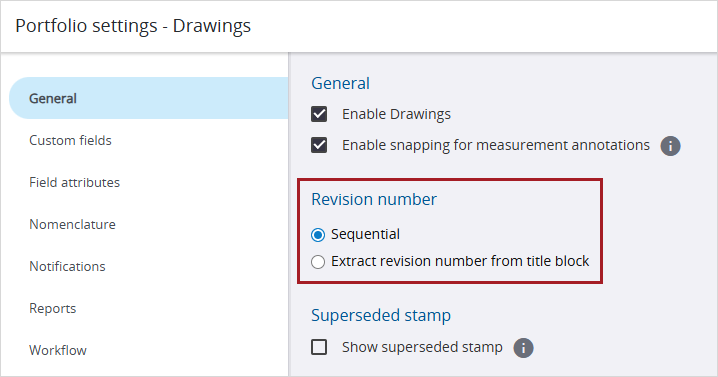
Revision number setting for drawings
Workflow templates - Step completion time
In workflow templates, you can set the number of completion days for each step. When you apply the workflow template to a record, the completion days are used to calculate the step due date.
- Finish steps and steps with the Draft status don't have a completion time.
- For workflow templates that you created prior to this release, the completion time per step is calculated based on the previous workflow completion time. The completion time may not match the original time, so you can review and adjust the number of days as needed.
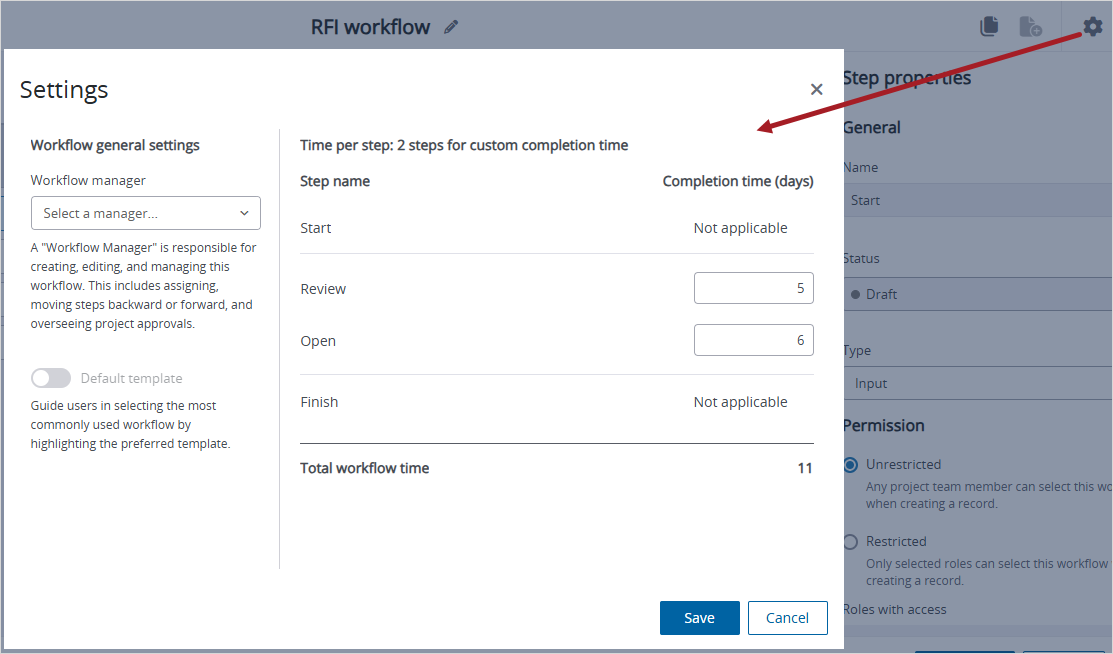
Completion time for steps in a workflow template
Resolved issues
- When your Trimble Identity profile language is set to Dutch, the correct language is applied in ProjectSight. (CN 000003090 / PS-63296)
- When you add a decimal value in a custom number field of a daily report, the value doesn't change if another user opens that record. (CN 000003101 / PS-63389)
- When you navigate between topics in a meeting minutes record, the changes to each topic are saved. (CN 000004484 / PS-64064)
- The online help clarifies that in the View options panel of the project selection page, the Reset button clears the panel options and the search field. (CN 000004492 / PS-64282)
- When an ad hoc report contains records with more than 1000 characters in some field values, the report is generated successfully with truncated long fields. (CN 000004525 / PS-64454)
- When an ampersand (&) is part of a lookup list name, the lookup list item is selected correctly in the Search panel. (CN 000004543 / PS-64510)
- Project exports are generated successfully. (CN 000004570 / PS-64644)
- When a file is uploaded and attached to a PCO, the upload time is displayed correctly. (CN 000004610 / PS-64850)
- When a module is opened, errors are no longer displayed. (CN 000004621 / PS-64905)