ProjectSight Mobile
Take ProjectSight's cloud-based construction project management software with you in the field on your phone or tablet.


 Download
May 24, 2025 Version 2025.09
 Feature enhancements
Drawing annotations - Fractional measurements
When you calibrate a drawing and select feet (ft) or inches (in) as the unit of measurement, you can set the measurements to show as fractions. Then you can add measurement annotations that use fractions rather than decimals.
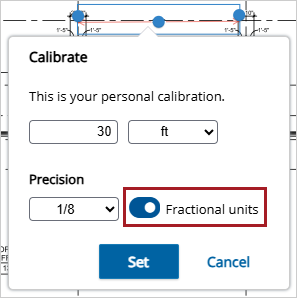
Fractional measurement toggle for calibration
 Resolved issues
- In uploaded PDFs, all the text in editable fields is visible. (PS-58472)
- In a specific project, the Budget module is available without a transaction deadlock error. (CN 000001939 / PS-58740)
- In a specific project, the Pending Revisions column correctly displays 0 as the value. (CN 000001952 / PS-58863)
- When notices to comply use autonumbering, the Number field is locked in the full form. (CN 000001967 / PS-59080)
May 17, 2025 Version 2025.08
Feature enhancements
Submittals - Automatic generation
You can use the new Auto Submittals BETA feature to automatically generate submittals from your published specifications.
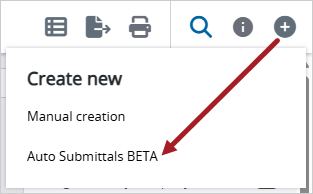
Auto Submittals BETA option from the Create button
A submittal is created for each part in the selected specification that contains the word SUBMITTAL or SUBMITTALS (not case-sensitive) in the subsection name.
Subsection name example
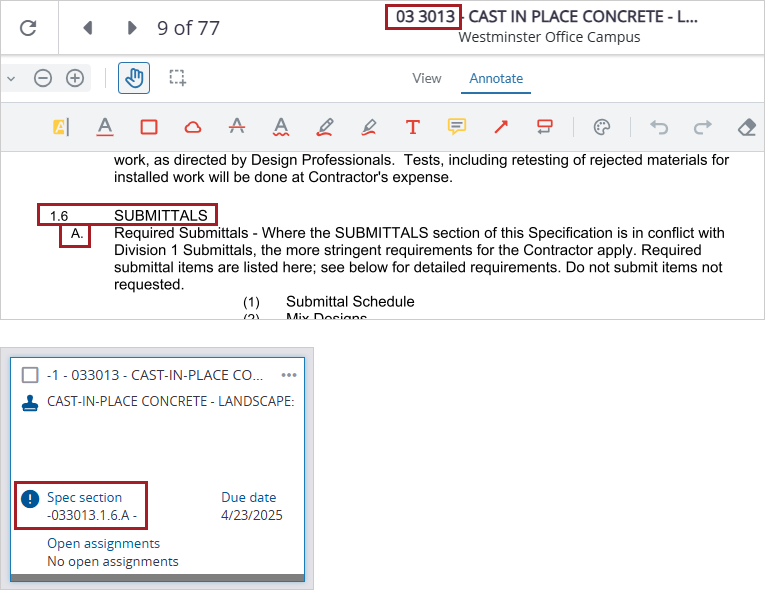
Submittal automatically generated from a published specification
- This feature is only available in North America.
- To use this feature, you must have permission to create submittals and view specifications.
- You can only use a specification once to create a submittal. If needed, you can create a revision for the submittal.
Auto Submittals BETA example

Generate submittals from published specifications and then batch edit them
To automatically generate submittals
- In the Specification sets module, publish your specifications.
- In the Submittals module, select
 (Create) > Auto Submittals BETA.
 - Read the information in each step of the Auto Submittals BETA dialog, and then select Let's Go.
- In the Select Specifications grid, select the checkbox for each specification that you want to create a submittal for.
- Select Generate.
- Review and edit the new submittals.
The Select Specifications dialog displays published specifications that have the Current status.
When the new submittals are ready, they are displayed in the record view.
Tip
You can select multiple submittals and then edit them in the Batch edit panel.
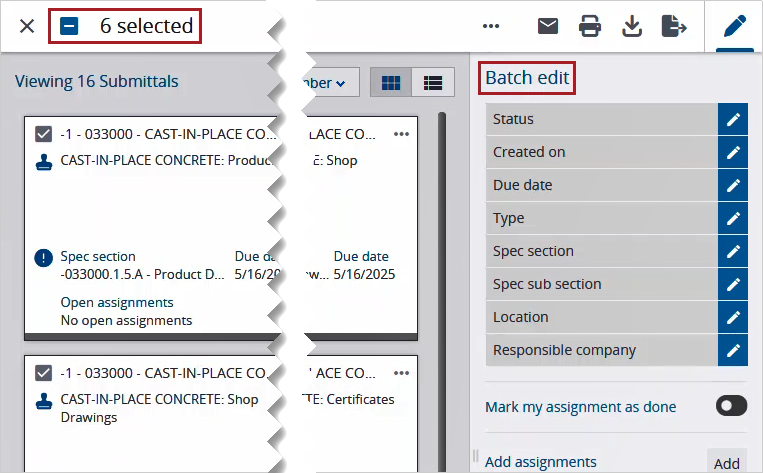
Batch edit panel for submittals
Charlie assistant chatbot - Deactivation / activation settings
Enterprise version Free version
You can deactivate the chatbot from the window.
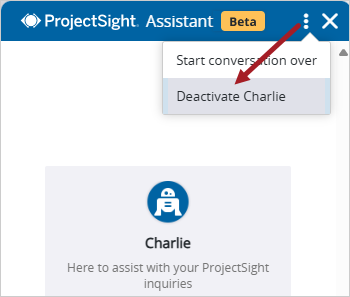
Deactivation option in the chatbot window
You can reactivate the chatbot in your settings.
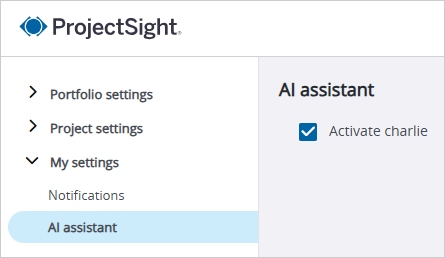
Activation setting
API - ERP project and company links
You can update ERP project and company links via the ProjectSight API. The new endpoint is:
{portfolioId}
/Companies/{companyId}/linkToERP/{erpCustomerOrVendorId}
erpCustomerOrVendorIdis the value from the ERP cache.- If
companyIdis 0, a new ProjectSight company will be created.
Resolved issues
- In a project with a large number of RFIs, the records are loaded within a reasonable amount of time. (CN 000000570 / PS-55950)
- In the European site for ProjectSight, the drawing revision date remains correct after the drawing is saved. (CN 000001848 / PS-56817)
- A new portfolio is created successfully with settings and security roles from a portfolio template. (CN 000001888 / PS-57739 /CN 000001948 / PS-58833 )
- The online help explains what the main portfolio and project contacts are in the team member settings. (CN 000001891 / PS-57771)
- Meeting minutes are opened with any errors. (CN 000001893 / PS-57787)
- The online help clarifies which security role permission is required to create companies in the team member invitation dialog. (CN 000001897 / PS-57923)
- In the Prime Contract Change Order [Detailed with Signatures] report, the Revenue amount field shows the correct label. (CN 000001899 / PS-57926)
- When new topics are imported via Excel, they are added successfully to meeting minutes. (CN 000001904 / PS-58017)
- When lookup list items are reordered in the settings, the items retain their position as new items are added. (CN 000001907 / PS-58115)
- In submittal packages, the responsible company is added and saved successfully. (CN 000001929 / PS-58605)
- Only users with permission to invite portfolio administrators can invite a team member and assign that security role. (CN 000001942 / PS-58748)